Strawberry Linden has continued on with Lab Gab, a regular talk show on Second Life, hosting solo now that Xiola Linden (a.k.a. Jenn in Sansar) has left Linden Lab. Her guests today were Linden Lab CEO Ebbe Altberg, and Grumpity Linden, the Vice President of Product for Second Life, and she did a absolutely wonderful job as host, asking her guests many questions raised by Second Life’s customers.
Strawberry started off the conversation by asking Ebbe to talk about the current status of Sansar. He said (and this is a paraphrase I transcribed directly from the livestream video) that Linden Lab decided that they could no longer sponsor the project financially, so they are looking for a “Plan B”, and are having conversations with interested parties. There is as yet no deal to announce, however. Moving forward, Linden Lab will focus entirely on Second Life and the Tilia online payments business. He hopes that he can be more specific with details of a deal in a couple of weeks or so.
UPDATE 7:49 p.m.: If you are looking for an exact, verbatim transcript of Ebbe’s words (and an audio clip), Inara Pey has what you need. Thanks, Inara!
Ebbe said that in the process of rightsizing, Linden Lab lost a number of staff, but some “heavy-hitters” were transferred from the Sansar project to Second Life. He said Linden Lab is now in a very healthy financial position, but it was sad to let so many good people go, and they were doing everything they could to help them find new jobs. Out of respect for the people who were laid off, the company will not name the people who were let go, although the laid-off staff could let others know if they wanted to, themselves. (And although I did receive a list of the names of Linden Lab staff laid off in the most recent layoffs from a well-placed source, I will not be sharing it.)
Strawberry (bless her heart!) also asked Ebbe about the rumour that Philip Rosedale, Linden Lab’s founding CEO, was coming back to Linden Lab, and Ebbe said that that was not true. He and Philip do keep in touch regularly, though.
The rest of Lab Gab was about Second Life, and the conversation involved VP of Product Grumpity Linden. Work is proceeding on a large endeavour called Project Uplift, which involves moving much of Second Life’s infrastructure from server farms into the cloud (the hosting of sims, etc.), which Linden Lab expects to complete by the end of this year.
Development is underway on a companion mobile app for Second Life (not a 3D viewer) for chat, customer support for merchants, etc. The idea is to provide a tool for SL users to stay connected with their friends even if they are not on a desktop computer. They expect to have an alpha/beta user test at some point in the future, hopefully within a couple of months. The iOS Apple app will be released before the Android app.
Grumpity Linden’s colourful avatar
The launch of Premium Plus accounts (essentially, super-premium user accounts with even more features and benefits) is “close”, according to Grumpity, but she would not commit to a release date yet. Premium Plus users will pay about US$20 less for the upcoming avatar name change feature than current Premium users. So, you might want to wait for Premium Plus accounts to launch before deciding to change your avatar name.
Grumpity also announced that the cost to transfer a buy-down or grandfathered sim will be cut in half, from US$600 to US$300. There are no other land price change announcements at this time.
Finally, Keira Linden, the Product Manager for the Name Change Project, made a special announcement. Over 2,400 submissions were received for the Second Life Name Changes contest. Eight last names were chosen as the contest winners, instead of just five as they had originally planned. Keira reported the winners here:
Conundrum
Dismantled
Huntsman
Littlepaws
Nova
Ravenhurst
Wumpkins
Yeetly
All the winners will be emailed, and they will get a free avatar name change when this feature becomes available. (Note that there will be a whole bunch of last names available to choose from at launch, not just these eight.)
There were many other topics discussed that I am not covering here, but you can watch this episode of Lab Gab on YouTube:
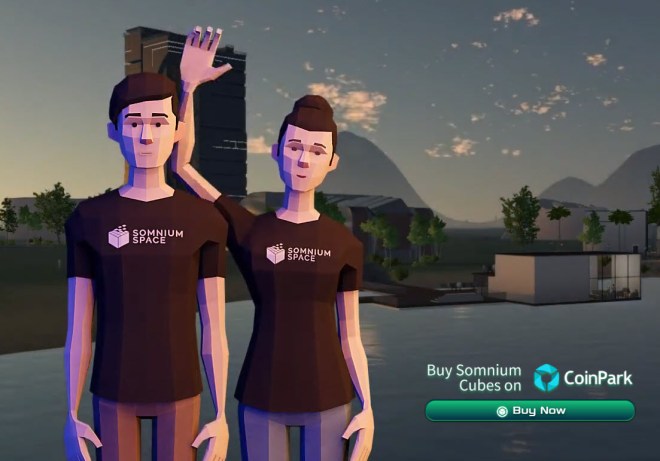
Early this morning, I was finally able to stroll around version 2.0 of the blockchain-based social VR platform, Somnium Space. The company has dropped a new, 1-1/2 minute trailer to promote the official launch of version 2.0:
I’m going to break down my first impressions into several sections.
Downloading Version 2.0
You can download the client from Steam or directly from their website. The installation process involves downloading and installing a small launcher program, which then downloads the full client, which is about 3.5GB in size.
As I reported yesterday, I encountered some problems downloading the full client from the Somnium Space servers. The server went down several times yesterday and last night, and had to be reset. Also, I was getting a download speed of only 1 MB per second on average:
I ran Speedtest to check my bandwidth while downloading the client, and as you can see, I had plenty of bandwidth to spare, so the problem lay with their servers, and not with my computer:
Several times the launcher program hung, and had to be restarted. I’m not sure if the problems were because so many people were trying to download the client on the first day, but it was rather annoying. I landed up spending from about noon yesterday until 3:00 a.m. this morning, off and on, trying to download version 2.0 of the client! Let’s hope that these were just opening day technical glitches.
Two Clients: VR and PC
Once completely downloaded, you use the launcher to start the program, which automatically checks for any software updates before taking you to the main screen. There are actually two clients: one VR (3D) and one flatscreen (PC/2D), and they are used for different purposes.
The flatscreen client is used to select your avatar and to build on land you have purchased (like Second Life, there is an extensive array of in-world building tools; see the video at the end of this blogpost).
The VR client is the main Somnium Space client, which you use to navigate the social VR platform. Somnium Space works with any PCVR headset (i.e. a VR headset that requires a higher-end computer with a good graphics card), including Oculus Rift and HTC Vive. It also works with Oculus Quest and Oculus Link.
Please note that there will not be a desktop (non-VR) client for Somnium Space until next week at the earliest. The company decided to focus on VR users first. If you don’t have PCVR, then you are out of luck at present.
The Version 2.0 Avatars
One of the biggest changes in version 2.0 of Somnium Space are the avatars, which are now complete, full-body avatars instead of the head-and-shoulders ones in version 2.0.
The starting set of default avatars is stylized and functional, but they are rather blocky-looking, and they are certainly not going to win any beauty contests.
You actually select your avatar using the flatscreen (2D) version of the client, instead of the VR (3D) version:
At present, you cannot change any aspect of these avatars, such as the hairstyle or colour, or the clothing. Artur Sychov, the CEO of Somnium Space, tells me that they are planning to release UnitySDK next week so that people can build their own custom avatars, so I am looking forward to seeing what people create!
A Wonderful Sense of Space
A “drone view” of Somnium Space at night; the glowing green borders indicate the boundaries of virtual land where nobody has built anything yet (picture courtesy of Artur Sychov, Somnium Space)
Somnium Space is among the first social VR platforms where you really do get a sense of the vast scale of the landscape. The platform is designed to be one contiguous landmass, instead of individual worlds. I have been told that there will be charge for teleporting (or perhaps, teleporting after watching an advertisement), to encourage users to walk around. And yes, you can hike all the way into the misty mountains you can see in the horizon!
The in-world camera tool on the user interface tablet isn’t functional yet, but I was able to take a few screenshots using SnagIt while in my Oculus Rift this morning. There is a pleasant central town that boasts a lighthouse, a seaside café, a shopping mall, a bowling alley, and a planetarium, among other attractions.
Dotted here and there on the gently undulating landscape outside this town are the first buildings, including some interesting and innovative constructions. The whole world has a sense of a festival being set up.
While the central town and the landscape remain in 3D, the user-built buildings load in stages as you approach them, in a sensible effort to lessen the load on the client.
Final Thoughts and Impressions
Artur Sychov and his team at Somnium Space are to be commended for pushing the envelope as to what is possible in a blockchain-based social VR platform.
While Decentraland and Cryptovoxels are currently more popular in terms of transaction volume on OpenSea, the former doesn’t support virtual reality at all, and the latter is restricted to voxel-based building. I suspect that once people begin to compare all three platforms feature-for-feature, they will begin to see the benefits of the more realistic-looking, more attractive in-world experience offered by Somnium Space, and they will choose to invest.
Opening-day glitches aside, this is an extremely promising start, and I look forward to seeing how Somnium Space develops over time!
First, let’s talk about the issues. Then we’ll get to the instructions.
I am truly impressed at the amount of content already up and running in Decentraland. When I first set foot on the grid last July as part of the closed beta, there were still lots of empty spaces, but over time (and with some help from a couple of contests for content creators), that empty space has started to be filled with some interesting and innovative content, including many games and puzzles. It’s wonderful to see, and it does remind me of the early days of Second Life.
However, the problems I had getting set up today illustrate just how user unfriendly blockchain-based virtual worlds can be to crypto newbies. I, who know a bit more about crypto than the average user, was ready to tear my hair out in frustration at some points. Simply put, this is still way, waaay too complicated for the average, non-crypto users that Decentraland will need to appeal to and attract in order to be a lasting success.
Let’s start with wallets. New users will need to set up a cryptocurrency wallet in order to use Decentraland, even if you do not want to purchase any in-world currency and just want to wander around. In my case, I took advantage of a limited-time offer late last year to get a free custom avatar name, which normally retails for 100 MANA, Decentraland’s in-world cryptocurrency (approximately US$6.00).
But the offer required me to set up a Trust wallet app on my iPhone, whereas when I signed into Decentraland on my Windows desktop computer, I used the MetaMask wallet I had set up as a plug-in on my Chrome web browser. This worked just fine during the closed beta, but on launch day I discovered to my dismay that my custom avatar name, as well as some custom avatar wearables I had won during platform testing, were stuck on my Trust wallet instead of my MetaMask wallet, and therefore inaccessible to me.
You would think that transferring my assets from one wallet to another would be straightforward. You would be wrong. I did not even know anything was wrong until I tried to log in on launch day, only to find a randomly-generated avatar appearance and a randomly-generated guest name associated with my account. Eventually, DCL support told me that my avatar user name and appearance were associated with a different wallet.
Then followed another couple of hours of frustration, as I pored through the Trust wallet and MetaMask wallet documentation, trying in vain to figure out how to export assets from one and import them into another. Finally, a couple of kind souls on the official Decentraland Discord server led me to a website tool where I could enter my 12-word seed phrase from my Trust account to generate a private key that would allow me to import my wallet into MetaMask so I could access my avatar name and appearance when signed in Decentraland.
Also, as a promotion to encourage new users to visit the platform, Decentraland is running a hunt for treasure chests filled with various prizes, including awards of MANA (the in-world currency, LAND (virtual land), and limited-edition avatar wearables. After finally getting my account set up properly, I went hunting.
Eventually, I found a treasure chest, and clicking on it, I was informed that I had won 10 MANA and a custom launch-day T-shirt for my avatar. Great! That was when I learned that I still needed to have a small amount of Ethereum (ETH) as a transaction “gas” fee in order to actually receive my prizes, separate from the MANA I already had in my wallet. I landed up forfeiting my prizes due to a lack of ETH, a concept that would be somewhat difficult to explain to a novice crypto user, to whom DCL would be their very first blockchain-based experience.
Close, but no cigar: prizes I had to forfeit due to a lack of “gas”
Between the wallet follies and the lack of gas money, it was the kind of experience that would send most novice users screaming into the night. Your average virtual worlds consumer does not want to fuss with crypto wallets and transaction gas fees and seed phrases and private keys. They just want things to work. These are some serious obstacles to getting started that I definitely think need to be addressed at some future point.
Decentraland’s land and economy are built on a blockchain, in particular, the “Ethereum” blockchain. This allows people to securely identify themselves, and, when desired, sign things securely, and conduct financial transactions, including in Decentraland. It also allows Decentraland to be permanent, not depending on any particular company’s destiny. It also, when used properly, provides a high degree of security and user control.
To operate on the Ethereum blockchain, and for example to create a Decentraland account, you will need to have a suitable Ethereum “wallet” app. On the blockchain, you can have one or more “accounts”. A wallet app allows you to create and use your accounts. Think of the account as your bank account number, and your wallet as your debit card.
For Decentraland, the wallet app must be of a certain kind, that can work through a web browser. The recommended wallet for Decentraland is MetaMask. MetaMask is a browser extension. You can get MetaMask through the extensions catalog of your browser.
For example, to install MetaMask in Chrome:
Open Chrome
Be sure you are logged into your Chrome/Google account
Click on the little 3 dot menu in the upper right corner
Select “More tools” and then “Extensions”
Click on the 3-line menu in the upper left
At the bottom of the popup, select “Open Chrome Web Store”
Search the store for “MetaMask”
The MetaMask logo is an orange fox’s head
Install it. It will show up among your Chrome extensions icons
You will need to set up your wallet and create your first Ethereum account.
Click on the extension if it hasn’t already opened, and carefully follow the instructions.
MetaMask setup: you’ll get a 12-word passphrase (keep that in a permanent, secret and safe place, it is like the key to your safe deposit box or your bank login). Do not put your passphrase in the cloud unless you store it in a password-protected file, like a zip or Word file that has a password.
You will also create a regular password in MetaMask. Keep that safe, too
Then, once you have your first MetaMask wallet “account” and are signed into it, you can proceed to Decentraland setup
Getting a Decentraland Passport and Avatar
In Decentraland, you create a “Password” (which is your identity and account in Decentraland). You will use MetaMask to do so. On your first visit to the Decentraland world, you will be guided on their website to create a Passport and an Avatar.
You will also be given an option to claim a permanent and unique avatar name (which requires paying a small fee using MetaMask — this fee was created to keep someone from freely grabbing all the possibly interesting names to hold for ransom). You do not have to own a name to visit Decentraland, but eventually you may want to get one so that you don’t show up just as a guest.
If this is your first visit to the Decentraland world, you will be guided to create a Passport and design your Avatar (you can change it later, so don’t worry too much about perfection initially). You must create or have a wallet account (MetaMask recommended) to serve as the passport ID for Decentraland.
You will have the option to “Claim a Name” for your avatar. For this you will need to get 100 Mana (Decentraland’s currency) and at least a small amount of Ethereum Ethers (ETH) into your MetaMask wallet account. You can skip claiming a name for as long as you wish, and visit the world as an anonymous guest.
Once you have a MetaMask wallet, click the “Explore the World” button on the Decentraland page.
On your first visit you will enter a beginners tutorial, where you can learn basic skills like how to walk, jump and chew gum at the same time.
You will also be shown instructions on how to chat, use the minimap, etc.
Once you leave the tutorial through the portal arch, you will really be “in the world”
If you press the Enter key, you can type into the Chat area in the lower left corner of your screen, to converse with others, or to enter Decentraland commands
One of the commands enables you to teleport to another place in Decentraland
For example to go to the main entrance to the Decentraland Conference Center, type into the chat area, very carefully and exactly the following, with the indicated space /goto 11,94
Although you may wish to skip this part just to visit the world, eventually you may wish to pay the small fee to claim a personal identity name, or to buy land in Decentraland or accessories for your Avatar.
A full coverage of cryptocurrencies is way beyond the scope of this getting started guide, but here is the basic workflow
Overview:
You go to an exchange and buy some ETH and MANA cryptocurrency
You transfer that into your MetaMask Wallet
You go to Decentrland, and use you MANA to Claim a Name, buy land, or buy accessories
Purchases will consume a small amount of ETH as a transaction fee
Go to an exchange like Coinbase https://coinbase.com where you can set up an account, with your bank account or debit card and purchase Cryptocurrencies.
Some exchanges, like Coinbase, allow you to use national currencies, like dollars, to buy certain cryptocurrencies
Other exchanges, like Bittrex or Binance (there are many) allow you to bring in one cryptocurrency and change it to another, and will handle Decentraland Mana, but don’t work with national currencies
‘A few exchanges (like Coinbase Pro https://pro.coinbase.com ) allow you to bring in a national currency (like dollars) and use it to directly buy a wide range of cryptocurrencies, including Decentraland Mana
A Example of recommended steps
Sign up for Coinbase.com (it will take some time and steps)
That also gives you access to Coinbase Pro
In Coinbase Pro, purchase a few dollars of Ethereum Ethers (ETH) and maybe $10-20 of Decentraland MANA
Transfer those both the ETH and the MANA to your MetaMask Wallet
Go to avatars.decentraland.com, and Claim a Name
It costs 100 MANA (when Mana is around $0.06, this would be about $6.00
Ethereum transactions usually use a little bit of ETH to pay the Ethereum network “miners” (operators). Most transactions seem to be around $0.50 to $1.00
Again, I would counsel new users, especially those brand new to cryptocurrencies and blockchain, to take things a step at a time—and not to try and find treasure chests, because you won’t be able to claim your prizes unless you have purchased some ETH ahead of time!
This scanning electron microscope image shows SARS-CoV-2 (orange)—also known as 2019-nCoV, the virus that causes COVID-19—isolated from a patient in the U.S., emerging from the surface of cells (green) cultured in the lab. Credit: NIAID-RML
I decided it was time for a quick update on the SARS-CoV-2 virus outbreak. (The Wuhan coronavirus had an interim name of 2019-nCoV, but it is now known officially by scientific researchers as SARS-CoV-2, and the disease it causes is now referred to as COVID-19.)
In the past few days, there have been various worrying reports of human-to-human transmission of the virus in countries outside of China: Japan, South Korea, Hong Kong, Singapore, and, for the first time, Iran. It would appear that despite our best containment efforts, the virus, which seems to be as easily transmissible as regular seasonal influenza, is slowly spreading worldwide. Scientists are studying these outbreaks outside China in an effort to better understand the virus.
Welcome to this Science Matters on the Novel Coronavirus (COVID19) – a free course to learn about the science underpinning the outbreak response.
On January 30th, the World Health Organisation (WHO) declared an outbreak of the Novel Coronavirus, now officially referred to as COVID19.
As the epidemic seems to spread to more and more countries, people around the world are wondering about the trajectory of the epidemic and whether they should be concerned. Media reports of the epidemic often focus on the more eye-catching events: governments evacuating their citizens from Hubei province, passengers on cruise ships being stopped from disembarking following a detection of a case, or images of supermarket supplies running out in areas perceived to be at high risk. On social media, other reports about the epidemic range from unsupported rumours to deliberate disinformation are increasing a sense of panic many individuals are experiencing. Robust, reliable analysis is vital at this stage not only as a way to give concerned members of the public a sense of perspective, but also to support governments and other stakeholders in planning their responses.
Researchers at the MRC Centre of Global Infectious Diseases Analysis (GIDA) and the Jameel Institute for Disease Emergency Analytics (J-IDEA) have been working hard on coming up with reliable estimates of the spread of the epidemic and its prospects, and are doing this in close collaboration with a number of global stakeholders, including the World Health Organisation (WHO).
You will hear directly from the experts conducting the analyses. You will be able learn about the current state of the epidemic, while also learn about the epidemiological and public-health principles and challenges that underpin these analyses. This will include understanding how the spread of the epidemic is modelled, how transmissibility of infections is estimated, what the challenges are in estimating the case fatality ratio, and also learning about the importance of community involvement in responding to the epidemic.
Today I finished the first two weeks of the online course, and I can recommend it very highly! You do not need to have a science background in order to understand the concepts, which are clearly explained.
Good Sources of Information on SARS-CoV-2 and COVID-19
Here is my updated list of good, credible, authoritative resources to learn more about the Wuhan coronoavirus (formerly called 2019-nCoV and now officially called SARS-CoV-2; the disease the virus causes is now called COVID-19):
Another instructive YouTuber to watch is Dr. John Campbell, a British nurse educator who very clearly explains what you need to know
If you prefer to get your informtion via audio, the Infectious Diseases Society of America (IDSA) has started a weekly half-hour podcast on SoundCloud, called COVID-19: What’s Happening Now.